Chrome's Annoying Icon
The Problem
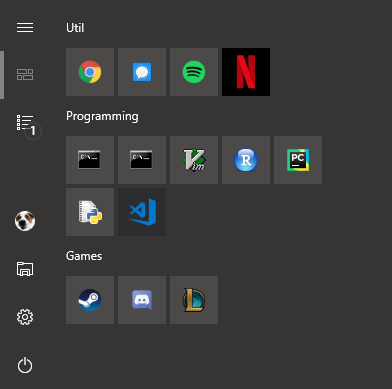
Chrome’s Start Menu icon always bugs me. It’s slightly too large and the background colour clashes with the theme. Here’s a screenshot of the problem:
The Fix
- Search for Notepad in your Start Menu
- Right click Notepad and select
Run as administrator - Open
C:\Program Files (x86)\Google\Chrome\Application\chrome.VisualElementsManifest.xml - Change this line
BackgroundColor='#5F6368'/>toBackgroundColor='transparent'/>and save the file - Right click the Chrome icon in the Start Menu,
More > Open file location - Right click the Chrome shortcut,
Properties > Change Icon... - Click
Okaywithout changing the icon
Results
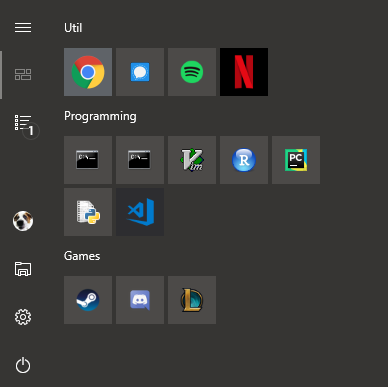
As you can see the Chrome icon is now the right size and colour with a change of a single variable